Restaurant & Hospitality Technology

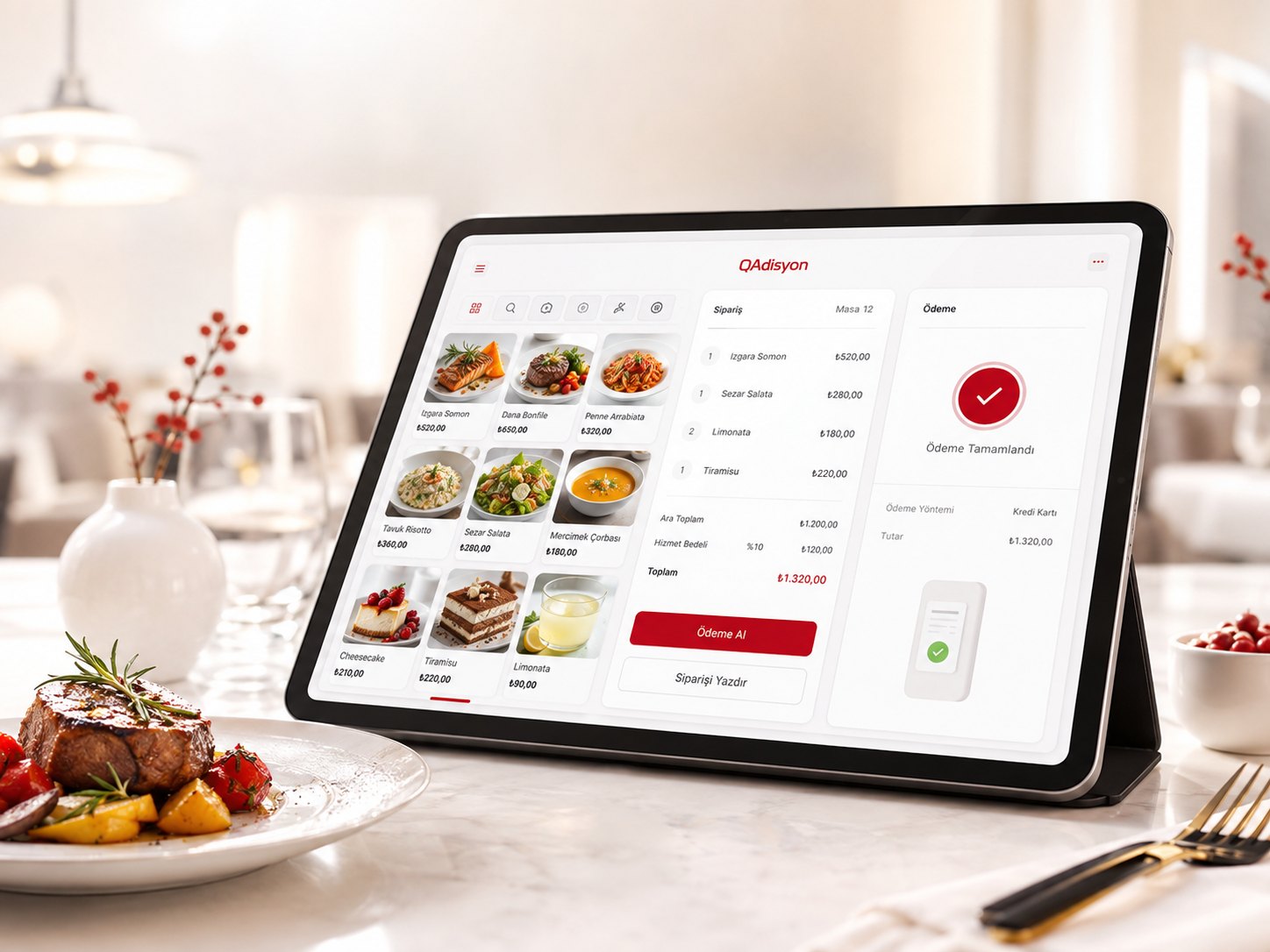
QAdisyon

From order to payment. Faster.

QAdisyon combines table, product, order, kitchen, payment and next-generation fiscal/POS integrations in one operating flow for restaurants and cafés. Retail quick-sale functionality is positioned separately under QShop.

QAdisyon
DETAILED OVERVIEW

Run restaurant operations from order to close in one flow

QAdisyon unifies restaurant checks, tables, kitchen, courier, reservation, payment, cash-register and reporting workflows.

QAdisyon focuses on restaurant operations, while QShop store sales are managed as a separate product and data flow.

Dine-in / Delivery / Pickup

Table/floor, customer, courier and payment context changes by order type.

Checks & Tables

Active order, totals, close and actions over FOOD_ORDERS / FOOD_ORDER_ITEMS.

Kitchen

Kitchen batches, screen/print terminal routing and item cancellation.

Courier & Delivery

Courier definitions, assignment, regions and delivery statuses.

Reservations

Scheduler, table/resource binding, conflict checks and preorders.

Cash & Reports

Cash-register permissions and daily sales summary.

CAPABILITIES

Order Types, Customer and Check

Dine-in

  • Table/floor remains active.
  • Customer panel closes.
  • Waiter and table context is preserved.

Delivery

  • Table/floor closes.
  • Customer panel opens.
  • Courier and payment type become required.
  • Customer, courier and payment type are carried in the order context.

Pickup

  • Table/floor closes.
  • Customer panel opens.
  • Courier is hidden.
  • Payment type is required.

Check Closing

  • FOOD_ORDER_CLOSE header.
  • FOOD_ORDER_CLOSE_ITEMS lines.
  • GRAND_TOTAL, PAID_TOTAL, REMAINING_TOTAL and CHANGE_TOTAL.
  • FOOD_ORDER_ACTION_LOG close movement.
  • Close operations inside an SQL transaction.
CAPABILITIES

Kitchen Operations

Kitchen Batch

  • Create kitchen batch for an order.
  • KITCHEN_ORDER_BATCHES and KITCHEN_ORDER_BATCH_ITEMS context.
  • Mark order item as sent to kitchen.
  • Update KITCHEN_SENT_DATE / KITCHEN_SEND_DATE when supported.

Terminal Routing

  • Resolve SCREEN_TERMINAL_ID and PRINT_TERMINAL_ID from product-group/product context.
  • Fallback through an active/default kitchen terminal.
  • Synchronize pending FOOD_ORDER records to kitchen screens.

Item Cancellation

  • Cancel by KITCHEN_BATCH_ITEM_ID or FOOD_ORDER_ITEM_ID.
  • Cancellation reason ID or text is mandatory.
  • SP_QAD_CANCEL_KITCHEN_BATCH_ITEM execution.
  • Company and branch context passed to the procedure.
CAPABILITIES

Delivery, Courier and Status

Courier Cards

  • Create / update / deactivate / delete couriers.
  • Courier status and work status.
  • App status and app-version fields.
  • Device name and unique device identifier.
  • Profile-image / base64 image support.
  • Vehicle type and region context.

Assignment

  • Assign delivery order to courier.
  • COURIER_ID order binding.
  • Generate DELIVERY_ASSIGNMENT_ID and return it in order context.
  • Carry customer, courier and payment type together.

Delivery Status

  • Block ON_THE_WAY until kitchen handoff is ready.
  • ONWAY_DATE / ONWAY_TIME.
  • DELIVERED_DATE / DELIVERED_TIME.
  • CANCEL_DATE / CANCEL_TIME.
  • Close linked FOOD_ORDER on DELIVERED, CANCELLED or RETURNED states.
CAPABILITIES

Reservations & Preorders

Reservation Scheduler

  • Scheduler bootstrap.
  • Save reservation.
  • Get reservation details.
  • Cancel reservation.
  • Conflict check.

Resource Binding

  • Normalize FLOOR_ID / RESOURCE_ID.
  • Normalize DESKTOP_ID / TABLE_ID / ITEM_ID / RESOURCE_ID.
  • Company and branch scoping.
  • User and IP context.

Preorders

  • HAS_PREORDER support.
  • PREORDER_TOTAL.
  • PREORDER_NOTE.
CAPABILITIES

Payments, Check Close and Cash Register

Payment Records

  • Process multiple payment lines.
  • Create payment flow log.
  • Approved payment records.
  • PAID_TOTAL, REMAINING_TOTAL and CHANGE_TOTAL calculations.
  • PAYMENT_STATUS based on result.
  • Create close header/lines in a transaction.

Check Cancellation

  • Block direct check cancellation when active payments exist.
  • Require payment refund/cancellation first.
  • Create cancellation close record.
  • Deactivate active FOOD_ORDER_ITEMS.
  • Update FOOD_ORDERS close and status fields.

Cash Register

  • Cash code and name.
  • Cash type.
  • Branch and terminal binding.
  • Default payment type.
  • Responsible employee.
  • Opening-balance requirement.
  • Negative-balance permission.
  • Day-end requirement.
  • Collect, payout, transfer and close-day permissions.
CAPABILITIES

Reporting

Daily Sales Summary

  • DAILY_SALES_SUMMARY report code.
  • Company, branch, start/end date and user parameters.
  • SP_QAD_REPORT_DAILY_SALES_SUMMARY.
  • Parameter JSON.
  • Report execution log.
  • Row count and SUCCESS state.
FAQ

Frequently asked questions

Do QAdisyon and QShop use the same sale flow?+

No. QAdisyon focuses on restaurant/check operations while QShop is dedicated to retail store sales.

Can a paid check be cancelled directly?+

A check with an active payment cannot be cancelled directly; the payment refund/cancellation flow must be completed first.

Are kitchen and courier flows connected?+

Yes. A delivery order cannot move to the on-the-way state until the kitchen handoff is ready.

PRODUCT SCREENS

See QAdisyon through the product itself.

Cover, desktop, tablet and mobile visuals are presented according to their actual usage context.

Cover & promotional visuals

Cover images and promotional visuals prepared for QAdisyon.

QAdisyon
Primary QAdisyon
QBS PARTNER NETWORK

Find a partner specialized in QAdisyon.

The product showroom filters the authorized network by product capability.

Open partner showroom →

See QAdisyon with your own scenario.

Book a demo →